My PlayHome Hospital
- 277.00
- 4.5
- Installs
- 100.00K
- Price
- $3.49

Screenshots


Analysis by Reviewed
Ever imagined a hospital where every corner is a playground? Well, that’s exactly what My PlayHome Hospital brings to your fingertips. If you’ve ever played any of the My PlayHome series, you’re in for another delightful surprise with this one. Let’s dive into what makes this app a must-have for kids and parents alike.
A hospital visit, without a fixed script
I’d think of this as a small digital stage for making up stories, not as a hospital simulator that teaches a set routine. A child can decide who arrives, who helps, and what happens next. That freedom is a real advantage when play needs to follow a child’s mood: a quiet pretend check-up can turn into a family story, or the characters can simply move around while the child explores.
That same openness can leave a first-time player unsure where to begin. Rather than naming every room or pointing out every object, I’d offer one prompt—“Who needs help today?”—and then let the child take over. It gives the play a starting point without turning the adult into a tour guide. If the child prefers to watch first, that is fine too; exploring at their own pace is part of the appeal.
Welcome to the World of Pretend Play
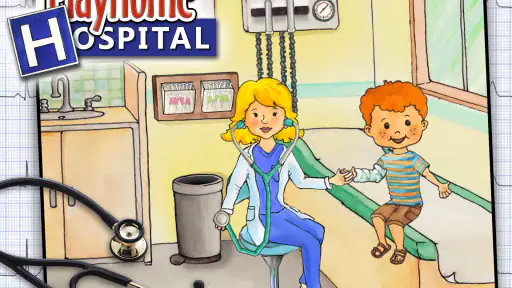
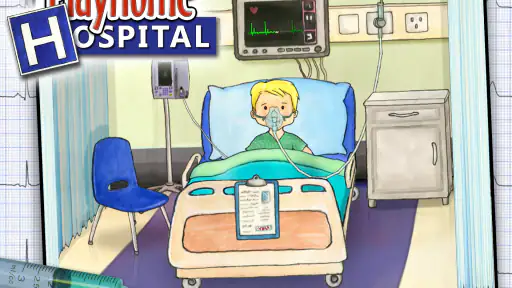
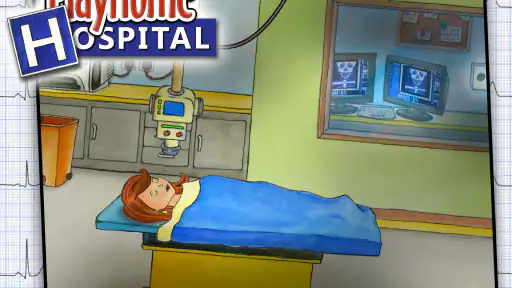
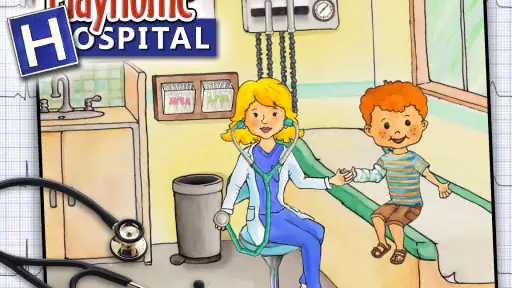
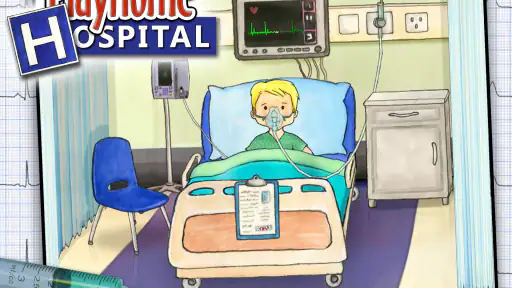
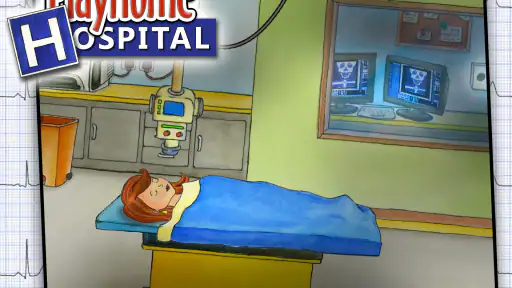
The charm of this game lies in its ability to transform the mundane setting of a hospital into an engaging, interactive universe. The app is designed for kids to explore and learn through play, which is a brilliant way to introduce them to the medical world. Right from the reception to the operating room, every location is interactive and filled with surprises. It’s like having a mini-hospital right in your pocket!
Interactive Features Galore
This isn’t just about clicking around; each element in the game responds to your touch. You can administer medicines, check the patient’s heartbeat, and even get involved in some light surgical procedures. It’s not only fun but also educational. Kids get to role-play as doctors, nurses, or patients, fostering creativity and empathy. I mean, who wouldn’t want to bandage a teddy bear or give a shot to a doll?
One useful way to make the interactions feel less like random tapping is to let the child give each character a role before starting. An adult can be the patient while the child decides what questions to ask, or the child can narrate the whole visit. Switching roles can keep the same play session fresh without needing a new activity. I’d avoid correcting every detail; asking “What happens next?” usually gives the child more room to invent than explaining how a real appointment works.
What’s more, the app doesn’t bombard you with in-app purchases or ads, which is a huge relief for parents. Once you purchase the game, you have full access to all its features. Trust me, that’s a rare find these days.
More From Our News Desk

Weather by Xiaomi Review: Clear at a Glance, Less Clear Up Close

X Under Pressure: Can It Recover When Posting Goes Wrong?

Clash of Clans Is Won Between the Battles

Android Auto Makes the Case for Quieter Car Software

MobiOffice: Transforming Mobile Productivity with Seamless Integration

EA SPORTS FC™ Mobile Soccer: Redefining Mobile Sports Gaming
A Safe and Fun Environment
Safety is a priority in this app. The developers have ensured that the content is suitable for children, with no third-party ads or in-app purchases. This makes the game a safe haven for kids to explore their imagination without any interruptions.
Plus, the graphics are simple yet delightful, with a colorful and inviting design that’s appealing to young eyes. It’s not overloaded with flashy animations, which is refreshing. The simplicity keeps it engaging without overwhelming the senses.
For a shared session, I’d let the child handle the device while the adult participates through conversation rather than taking over the controls. That small choice matters: the child gets to make decisions and can pause the story whenever they want. If more than one child is playing, taking turns choosing the next character or deciding what the visit is about can prevent one person from directing everything. This is a gentle, practical way to use the game together, rather than expecting it to occupy a group without any adult involvement.
Making Hospital Play Work at Home
I find the game most useful when a child wants to direct the play rather than follow instructions. A parent can sit nearby and let the child decide who needs care, what the characters do, and when the story changes. That gives you an easy opening to talk about why people visit a hospital without turning playtime into a lesson. If a child is anxious about an appointment, gentle pretend play may also give them room to ask questions, though it should not be treated as medical advice or a replacement for a real conversation with a clinician.
For a practical routine, I’d introduce one small scenario instead of trying to explain every room at once: a character arrives, gets checked, and then goes home. After that, let the child take the story somewhere unexpected. This keeps the play manageable for younger kids and helps avoid a common frustration with open-ended games: a child may enjoy the objects but not know what to do first. If they get stuck, suggest a role or a simple problem, then step back and let them make the decisions.
A realistic moment for it might be a short wait at home before dinner, when a child wants to play but an adult still needs to finish a few things nearby. I’d set a simple premise—someone has come in for a check-up—and let the child carry it forward, checking in now and then rather than expecting the game to provide a complete activity plan. It also works as a low-pressure wind-down when a child wants quiet imaginative play. If the child is becoming frustrated or repeatedly asks what to do, that is a good cue to join in with a prompt, or switch to something with clearer directions.
Who Will Enjoy It—and Who May Not
This is a good fit for children who like imaginative role-play and for adults who want a calm, shared activity without a score to chase. It also suits short stretches of downtime: while waiting for food or settling in before bed, you can play out a quick visit rather than commit to a long session. The game’s open-ended approach is its strength, but it also means children who prefer clear goals, levels, or rewards may lose interest. For those kids, a structured puzzle or challenge-based game may be a better choice.
Compared with many casual games built around timed tasks and repeated wins, this one gives more room for storytelling and character interaction. That makes it less competitive and easier to enjoy together, but it may feel slow to a child expecting constant action. I’d also keep an eye on how a child interprets medical pretend play: the game can support imaginative conversation, but an adult should be ready to explain the difference between pretend treatment and real healthcare in an age-appropriate way.
It is also worth separating “quiet” from “effortless.” The game does not rely on a chain of obvious targets to keep a child moving, so some children will happily invent scenes while others will ask for help after a short exploration. If your child enjoys making up dialogue, assigning roles, and revisiting a story, that freedom is likely to feel welcoming. If they mainly want clear instructions, a visible finish line, or frequent rewards, a more structured casual game is probably a better match. I wouldn’t buy it expecting it to function as a medical lesson or a substitute for an adult’s reassurance; its value is in giving a child a setting for pretend play.
Before You Settle In
The game is made by Shimon Young : Play Home Software and is rated Everyone. It costs $3.49, so I’d think of it as a paid play space rather than a free game to test casually. Its average rating is 4.5 from around 1,800 ratings, and it has been installed over 100,000 times. Those figures suggest a well-established audience, but a child’s interest in pretend play is still the best guide to whether it suits your household.
If you are deciding whether the purchase makes sense, I’d first ask whether your child already enjoys open-ended play with figures, dolls, or toy rooms. That is a more useful clue than whether they like hospitals specifically: the main appeal is being able to invent the scene, not completing a sequence of challenges. It may suit a child who returns to the same setting and changes the story each time, while a child who moves quickly from one goal-based game to another may not get as much from it.
If the game seems unresponsive or does not open as expected, I’d start with ordinary checks before assuming the play experience itself is at fault: make sure the device meets the minimum Android requirement of version 5.0, close and reopen the app, and check that the device has enough free space for normal operation. The current version is 2.3.0.47. If a problem continues, restarting the device and checking for an available app update are sensible next steps. These checks are especially useful if the issue appears suddenly or only on one device.
I’d also troubleshoot one thing at a time instead of changing several device settings at once. First close and reopen the game; if the issue remains, restart the device, then check for an update. If it works on another occasion but feels slow or awkward during play, see whether the device is busy with other apps and try again after closing anything unnecessary. These are ordinary checks, not a promise that every problem has the same cause. Keeping the child’s play story simple while testing can also make it easier to tell whether the trouble is technical or whether the child simply wants more direction.
Sometimes the apparent problem is not a fault at all. A child who taps quickly through the setting may miss the pleasure of deciding what the characters are doing, while another may pause because they expect the game to tell them what comes next. In that case, try a short role-play prompt before changing device settings. On the other hand, if the app stops responding or will not open, a story prompt will not solve it; return to the basic restart and update checks. Knowing which kind of friction you are seeing saves time and keeps a technical snag from becoming a reason to abandon a play style the child might otherwise enjoy.
Final Thoughts
In a world filled with digital chaos, finding an app like this is a breath of fresh air. It’s educational, fun, and most importantly, it respects the intelligence of a child. If you’re looking for an app that offers more than just mindless tapping, this is it. It’s more than a game; it’s a learning experience wrapped in fun.
So, if you’re on the hunt for an app that combines play with learning, look no further. This app is indeed a healthy addition to your child’s digital diet. Happy playing!
My practical recommendation is to treat it as a calm, shared storytelling space rather than an activity that will automatically hold every child’s attention. At $3.49, it makes the most sense for a household that values imaginative play and expects to return to the same setting more than once. The Everyone age rating makes it suitable for a broad audience, but a parent’s presence is still useful when hospital themes prompt questions or when a child needs help getting a story started. If that describes your situation, I can see it earning a place in a small rotation of quiet games; if you need goals, fast action, or a fully guided experience, I’d choose something else.
My PlayHome Hospital Frequently Asked Questions
How much does My PlayHome Hospital cost, and what should I check before buying?
My PlayHome Hospital is a paid casual game priced at $3.49. Before downloading, check that the purchase is suitable for your budget and that your device meets the minimum operating-system requirement. The game is developed by Shimon Young : Play Home Software, and its hospital setting is built around imaginative role-play for children.
What is My PlayHome Hospital?
My PlayHome Hospital is a part of the My PlayHome series, designed for children to explore the medical environment. It allows kids to interact with various hospital settings, including examining patients, using medical equipment, and understanding the roles of different hospital staff. This app enhances creativity and educational play for young users. It is a casual game where children can become a doctor, nurse, or patient and create their own hospital scenarios.
Is My PlayHome Hospital safe for children?
Yes, My PlayHome Hospital is safe and designed specifically for children. The app contains no third-party advertisements or in-app purchases, ensuring a secure environment for kids to play. The content is child-friendly, focusing on educational and imaginative play, making it a trusted choice for parents. Its content rating is Everyone, so families can consider it as a child-friendly option while still deciding whether its medical role-play suits their child.
What age group is My PlayHome Hospital suitable for?
My PlayHome Hospital is suitable for children aged 3 and up. The app is designed to be intuitive and easy to navigate, which makes it perfect for preschoolers and early elementary-aged kids. It encourages role-playing and imaginative play, which are crucial for childhood development. Younger children may enjoy exploring the hospital alongside an adult, while older children can invent their own stories and take on different roles.
Does My PlayHome Hospital require internet access to play?
No, My PlayHome Hospital does not require an internet connection to play. Once the app is downloaded, all features are accessible offline. This makes it a great option for keeping children entertained during travel or in situations where internet access might be limited. An internet connection may still be needed to download the game or manage the purchase through the relevant app store.
Pros
- Interactive and educational gameplay.
- User-friendly interface for children.
- Encourages imaginative play.
- No third-party ads within the app.
- Supports multiple languages.
Cons
- Limited content compared to other apps.
- No multiplayer or online features.
- Can be repetitive over time.
- Requires in-app purchases for more features.
- Not suitable for older children.
- Category
- Casual
- Version
- 2.3.0.47