Craft World - Building Craft
- 989.00
- 3.1
- Installs
- 10.00M
- Price
- Free
Screenshots
Analysis by Reviewed
On a shared household device, the first useful question is not what to build, but what everyone expects to happen to the world between turns. Craft World - Building Craft gives players room to make things and explore, which is appealing when a child, sibling, or parent wants to pick up the same game at different times. That open-ended setup also means a new player may encounter someone else’s unfinished work. I’d agree on a simple handoff before the first session: say what was being built, what should be left alone, and whether the next person can add to the project.
Sharing a world without stepping on a project
A useful household routine is to finish each turn with a short spoken note: “I was gathering materials for the bridge,” or “The garden is yours to change.” That takes only a moment, but it gives the next player context and reduces accidental disruption. It also helps younger players distinguish between a shared project and something another person intended to keep as their own.
I would treat play on one device as turn-taking, rather than assume each person gets a separate world or private progress. If separate projects matter, make that expectation clear before anyone starts. One practical approach is to choose different areas for personal builds and agree that shared structures can be changed only after asking. This is a simple social boundary, not a game feature, and it works only if everyone follows it.
Making a short session feel worthwhile
Open-ended building can be awkward when someone has only a few minutes. Instead of starting a large structure, I’d pick a small task that has a clear stopping point: add a path, gather materials for a planned build, or tidy one agreed area. A compact goal gives a younger player a sense of progress without requiring the next person to guess what was happening. For longer sessions, leave a brief verbal handoff rather than expecting everyone to remember the plan.
This is also where the game’s loose structure asks more of the player than a puzzle with a defined solution. A child who asks “What do I do now?” may enjoy it more if an adult helps turn that question into a simple project. Someone who prefers to invent their own goals can get started without that guidance. I see that as the central trade-off: freedom makes the play personal, but it does not always provide direction.
A World of Endless Possibilities
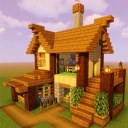
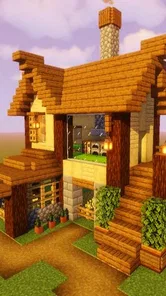
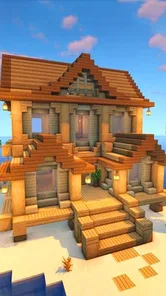
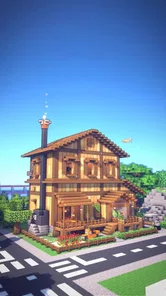
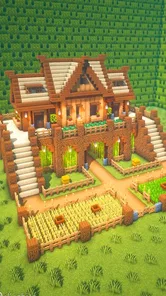
First off, let me just say that Craft World - Building Craft is a sandbox game that truly lives up to the name. Imagine having a blank canvas, but instead of paint, you've got blocks, resources, and a whole world to shape. Whether you want to build towering skyscrapers or cozy little cottages, the game gives you the freedom to do it all. The graphics are pixelated in the most charming way, reminiscent of those classic games we all love.
Gameplay and Features
The gameplay is pretty straightforward, which is great because you can jump right in without a steep learning curve. You start with basic resources, and as you explore the vast world, you gather materials to build whatever your heart desires. The control system is intuitive, making it easy to navigate, place blocks, and manage your inventory.
More From Our News Desk

 Gmail
Gmail in a Busy Inbox: Who Benefits Most?
From first account to crowded workday, Gmail earns its place through dependable search and flexible sorting—but its best fit depends on how much inbox maintenance you can tolerate.

 Prime Video
Switching to Prime Video: What Changes in Your Viewing Routine
Prime Video can make a compelling second home for streaming, but switching means learning a different catalog, rental layer, and route from browsing to playback.

 Universal TV Remote Control
 Works Best as a Reliable Backup
A phone remote earns its place through quick setup and reliable habits. Here is how to get more from Universal TV Remote Control—and where its limits show.

 Weather - By Xiaomi
Weather by Xiaomi Review: Clear at a Glance, Less Clear Up Close
Xiaomi’s weather app makes everyday forecasts quick to scan, but its calm surface can leave useful details and recovery paths harder to find than they should be.

 X
X Under Pressure: Can It Recover When Posting Goes Wrong?
A resilience-focused review of X, examining setup, mistaken posts, interruptions, weak connections, and the gaps that matter when recovery needs to be dependable.

 Clash of Clans
 Is Won Between the Battles
Its raids are quick; its community is a long-term project of coordination, teaching, rivalry, and shared responsibility—with all the friction that entails.
Latest News



One of the coolest features is the multiplayer mode. You can team up with friends to build epic structures or embark on adventures together. It's like having a virtual hangout spot where creativity knows no bounds. Plus, the game frequently updates with new items and features, so there's always something fresh to try out.
Making a session work for everyone
For a household, the game’s open-ended structure is both its appeal and its main coordination challenge. One person may want to spend a session gathering materials, while another would rather focus on a large build. I’d suggest choosing a small shared goal before playing together, such as improving one agreed area, so the session has direction without turning the game into a chore. If players have different ideas, separate projects are an easy way to keep the creative freedom intact.
Compared with a conventional level-based adventure, this kind of sandbox puts less emphasis on completing a fixed sequence and more on deciding your own next task. That is a good fit for players who like experimenting and making something at their own pace. If you prefer clear objectives, a strong story, or short rounds with a definite finish, a more structured game may be a better choice. The freedom here can feel less satisfying when you want the game to tell you exactly what to do.
Why You'll Love It
If you're someone who enjoys letting your imagination run wild, then this game is for you. It's a perfect blend of creativity and strategy. You can spend hours just planning and constructing your dream world, and trust me, it's incredibly satisfying to see your creations come to life.
And let's not forget about the exploration aspect. The world is filled with hidden treasures and surprises that keep the gameplay exciting. Whether you're a seasoned builder or a newbie, there's something here for everyone.
Age, spending, and expectations
The game is free to play and is rated Everyone 10+, which gives parents a useful starting point when deciding whether it suits a child. I’d still take a moment to see how a young player responds to exploration and open-ended play, then set household expectations around screen time and spending. In-app purchases are available at $4.99 per item, so it’s sensible to discuss purchases in advance, particularly if a device is shared. I wouldn’t assume that the age rating or the game itself replaces a parent’s usual checks and conversations.
Craft World is from Craft world Studio, has a 3.6 average from around 24,000 ratings, and has passed 10 million installs. It is a simulation game, currently at version 7.0, and needs Android 6.0 or later. Those details make it easy to judge basic compatibility, but the more important question for a family is whether everyone enjoys the same relaxed balance of building and exploring. A child who wants a guided mission every time may need help choosing a goal, while a creative player can happily invent one.
What to expect from building and exploration
The building-and-exploring mix makes the game more flexible than a title that confines every session to a single task. If I have time to wander, I can treat exploration as its own activity; if I want a tangible result, I can focus on collecting what I need and shaping a structure. That flexibility is useful on a shared device because players can bring different moods to the same game. It does not, however, guarantee that a particular session will feel purposeful: the player still has to choose what counts as progress.
One small tip is to decide whether a session is for scouting or construction before setting off. Mixing both can be enjoyable, but a player who keeps switching plans may end up with no clear build in mind and a half-finished project. A quick mental list of what materials or area to focus on helps make exploration serve the next build. I would not turn that into a strict checklist; the point is simply to give a wandering session a loose direction.
Choosing the right play style for your household
This is a stronger fit for people who enjoy making their own entertainment than for players who want a steady stream of instructions. A creative child may happily experiment with shapes and spaces, while a parent can join in by helping plan a shared structure or by asking the child to explain the idea. That kind of conversation can make a session feel collaborative without requiring everyone to build in exactly the same way.
By contrast, I would skip it for someone who gets frustrated when a game does not clearly mark the next objective, or for a household where sharing one evolving world would cause arguments. A self-contained puzzle or a mission-based adventure is a better pick when each player wants a clean start and a definite finish. A more focused building game may also suit someone who wants construction without the same emphasis on exploration. The right alternative depends on whether the missing ingredient is direction, separation, or a tighter session length.
Keeping expectations clear on a shared device
Sharing a screen can make coordination easier because players can discuss a build face to face, but it does not automatically settle questions about ownership or progress. I’d avoid promising that a child can keep a private project unless the family has checked how the game behaves on that device. Instead, make a household agreement that does not rely on separate accounts: ask before changing another person’s structure, and decide together which area is open for shared experiments.
If a younger player uses the device, an adult can also help with practical boundaries outside the game: whose turn it is, when the session ends, and who is allowed to approve purchases. These are household rules rather than controls I would expect the game to enforce. They are especially helpful when the device belongs to an adult but is used by several people, since the person holding it may not be the person who usually makes spending decisions.
Final Thoughts
To wrap it up, Craft World - Building Craft is a delightful escape from the mundane. It's a game that encourages creativity, teamwork, and exploration. If you're looking for a new game to get lost in, this is definitely worth a download. So, what are you waiting for? Dive into the world of crafting and let your imagination soar!
My household recommendation is to try it when everyone has time to explore without rushing, and to agree on shared-world boundaries if several people use the same device. It is best for players who enjoy inventing their own projects and are comfortable with a loose sense of direction. If you need separate, clearly organized personal progress or tightly guided objectives, choose a game designed around those needs instead. For a family that likes building together and can communicate about what they change, this one offers an inviting place to start.
Craft World - Building Craft Frequently Asked Questions
Can I play Craft World - Building Craft on iOS?
Craft World - Building Craft is described as a game for Android and iOS, so it may suit players looking to enjoy a crafting and building experience on either platform. Before downloading, check that you are choosing the version intended for your device. Its focus on creative construction and exploration makes it a natural fit for players who enjoy shaping a game world at their own pace.
How much storage space does Craft World - Building Craft need?
Before installing Craft World - Building Craft, it is sensible to check the available storage on your device, as with any game. The space needed for an installation can vary by device and may change as the game is updated. Keeping some free storage available can also help avoid interruptions during installation and leave room for other apps, photos, and files.
Can I play Craft World - Building Craft with friends?
Craft World - Building Craft includes a multiplayer mode, so playing with friends is part of its appeal for people who enjoy sharing a creative game. The game also supports solo building and exploration, giving you options when you would rather play independently. If multiplayer is important to you, check your connection and the available in-game options after launching the game.
Can my device run Craft World - Building Craft?
Craft World - Building Craft is available for Android devices running Android 6.0 or later. Checking your device’s operating-system version before downloading is a simple way to avoid compatibility issues. The game is a simulation built around crafting, exploration, and construction, so it may appeal if you want a creative game that you can dip into at your own pace.
What is Craft World - Building Craft?
Craft World - Building Craft is a creative sandbox game available for Android and iOS where players can explore vast worlds, gather resources, and build impressive structures. With its easy-to-use interface and limitless possibilities, it caters to both casual gamers and those looking to unleash their creativity. Players can construct buildings, craft tools, and explore different environments, offering a unique experience each time.
Pros
- Highly creative and customizable building options.
- Intuitive controls for easy gameplay.
- Vast open world to explore and construct.
- Regular updates with new content.
- Supports multiplayer mode for collaboration.
Cons
- Graphics can feel outdated.
- Limited resources can slow progress.
- Occasional in-game ads.
- Requires internet connection for multiplayer.
- Can be resource-heavy on older devices.