MultiCraft — Build and Mine!
- 10.63K
- 4.3
- Installs
- 50.00M
- Price
- Free
Screenshots
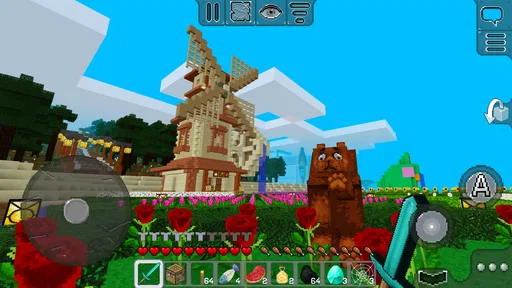
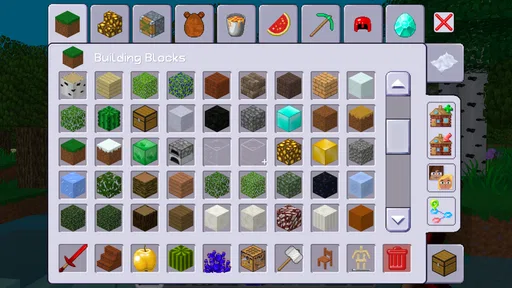
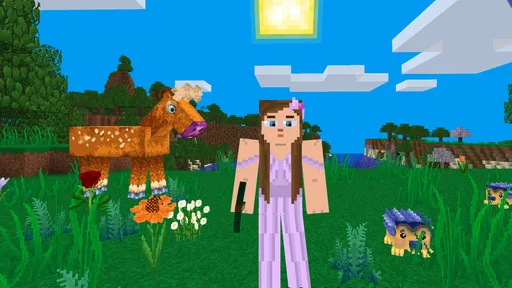
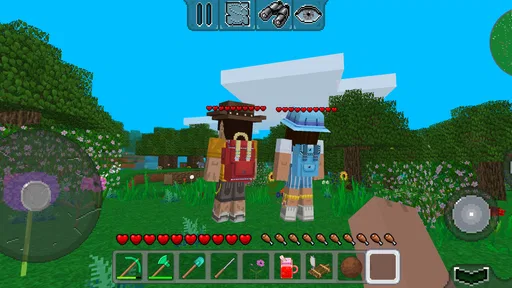
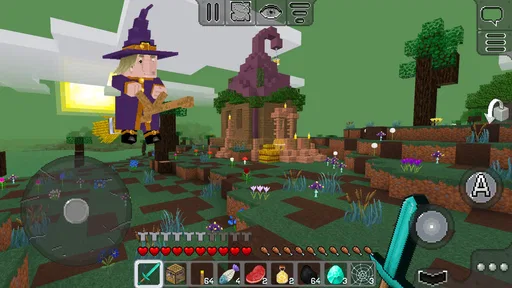
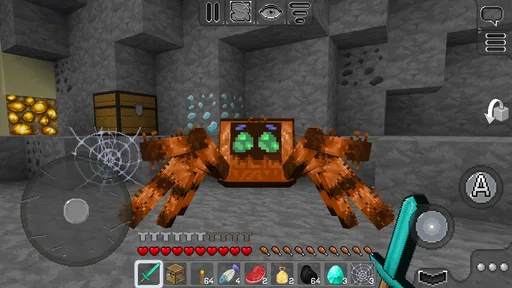
Analysis by Reviewed
I tend to enjoy building games most when I can dip in for a short session, choose a small goal, and leave the world a little better than I found it. MultiCraft — Build and Mine! fits that kind of play: it’s an adventure game built around exploring, gathering resources, and making things at your own pace. The basic loop is easy to understand, though the open-ended freedom can also leave new players wondering what to do first.
Where new players can get stuck
The first friction point is not a complicated rule so much as a lack of direction. When a game lets you explore and build freely, it helps to give yourself a simple first target instead of trying to plan a grand project immediately. I’d start with a modest shelter, then gather only the resources needed for the next tool or improvement. That keeps early play focused and makes it easier to learn how mining, crafting, and movement fit together.
Touch controls can also take a little getting used to, especially if you are switching from a game played with a controller or keyboard. I recommend moving around in a safe, familiar spot for a moment before attempting a detailed build. For walls and other careful placement, slow down and check your position rather than tapping quickly; a small adjustment is easier than undoing a rushed section.
Making a short session feel purposeful
A useful trick is to treat each visit as a small work shift for your world: decide on one outcome, gather what it needs, and stop when that outcome is complete. For example, if I have only a few minutes, I might improve a doorway or finish one side of a shelter rather than start a large structure that will be awkward to leave unfinished. This keeps progress visible and makes it easier to pick up the thread next time.
That approach also helps when you are unsure whether to explore or build. I’d separate the two when possible: use one session to look around and collect materials, then use the next to turn those supplies into a specific project. Switching constantly between roaming and construction can make a short visit feel scattered, while a simple plan gives the open-ended world a personal rhythm.
Simple setup checks and a useful routine
MultiCraft is free to play, with optional in-app purchases priced at $0.99 per item. It is rated for Everyone, and its listed minimum requirement is Android 6.0. The game is developed by MultiCraft; version 2.0.10 is the current release. It first appeared on July 31, 2019, and has reached over 50 million installs, with a 4.3 average from around 365,000 ratings and about 10,000 written reviews.
If you are installing it on an older phone, check that the device meets the Android requirement and has room to complete the installation. If a download or launch stalls, I would first check the connection, available storage, and whether the store has finished installing the game, then close and reopen it. These are sensible first checks for an Android game; they do not require changing unfamiliar settings or removing saved content.
More From Our News Desk

 Gmail
Gmail in a Busy Inbox: Who Benefits Most?
From first account to crowded workday, Gmail earns its place through dependable search and flexible sorting—but its best fit depends on how much inbox maintenance you can tolerate.

 Prime Video
Switching to Prime Video: What Changes in Your Viewing Routine
Prime Video can make a compelling second home for streaming, but switching means learning a different catalog, rental layer, and route from browsing to playback.

 Universal TV Remote Control
 Works Best as a Reliable Backup
A phone remote earns its place through quick setup and reliable habits. Here is how to get more from Universal TV Remote Control—and where its limits show.

 Weather - By Xiaomi
Weather by Xiaomi Review: Clear at a Glance, Less Clear Up Close
Xiaomi’s weather app makes everyday forecasts quick to scan, but its calm surface can leave useful details and recovery paths harder to find than they should be.

 X
X Under Pressure: Can It Recover When Posting Goes Wrong?
A resilience-focused review of X, examining setup, mistaken posts, interruptions, weak connections, and the gaps that matter when recovery needs to be dependable.

 Clash of Clans
 Is Won Between the Battles
Its raids are quick; its community is a long-term project of coordination, teaching, rivalry, and shared responsibility—with all the friction that entails.
Latest News



Before a longer building session, I also like to decide what I am willing to spend time on before opening the game. A compact structure with a clear outline is easier to finish than an ambitious design with no stopping point. If you are trying the game with a younger player, agreeing on a small project together can make the open world less overwhelming without turning play into a list of chores.
Recovering your play session
Open-ended worlds can make it easy to lose your short-term plan, so I find it useful to decide what I want from a session before wandering too far: collect materials for one build, explore a nearby area, or improve a single part of a base. If I get distracted, I can return to that small goal instead of treating every session as a major expedition. It also helps to finish by leaving a clear next step for myself, such as gathering one more kind of resource or extending a wall.
A practical after-school or evening routine might be a brief visit to work on a compact home, followed by a little exploration when the building starts to feel repetitive. That balance suits the game better than expecting constant action or a tightly scripted sequence. If the controls seem unresponsive, pause and check whether the device is busy or the game needs a restart before assuming the world itself is at fault.
Keeping your own progress easy to resume
When I stop playing, I try to leave the immediate area in a state that makes the next decision obvious. A visible unfinished section, a clear path back to the build, or a short mental note about the next materials to collect can save time when I return. The point is not to impose a strict system; it is to avoid spending the first part of every session simply remembering what I meant to do.
If a session ends unexpectedly, I would avoid making several changes at once while troubleshooting. Close and reopen the game first, then see whether the issue happens again during a simple activity before starting a complicated build. That kind of one-step-at-a-time check makes it easier to tell a temporary interruption from a repeatable problem and avoids risking progress through drastic fixes.
What the open-ended style does best
Exploration and construction are the strongest reasons I would return. The pixel-art look keeps the world visually simple, while the freedom to make a shelter, an underground hideout, or a larger structure gives each player room to set a personal challenge. I would not approach it as a guided adventure with a fixed route; the pleasure comes from choosing a direction and making progress in small, visible steps.
Finding a project that fits the moment
The building loop is most satisfying when the project matches the time and attention you actually have. A quick decorative change is a better fit for a tired evening than a complicated structure that requires constant planning. On a more relaxed day, exploring before choosing a build can give you a reason to gather materials and make the world feel less like a blank workspace.
Compared with adventure games that place missions and story beats at the center, this one asks you to create much of your own motivation. That is a genuine trade-off, not simply a shortcoming: players who like setting personal targets may find the freedom liberating, while players who want a sequence of objectives may miss the guidance. I’d choose a quest-led alternative if the main pleasure for you is discovering what the game tells you to do next.
When the app may not be the cause
If installation or loading trouble continues after checking the connection, storage, and basic restart, it is worth separating a device issue from a gameplay problem. Make sure the phone is not struggling with several demanding apps at once, and avoid deleting game data as a first response if you care about existing progress. If a problem appears only in one session, trying again later can help distinguish a temporary hiccup from a repeatable issue.
The game’s accessible mechanics are a plus for newcomers, but the same open-ended design may feel aimless if you want clear missions, a strong story, or a steady stream of instructions. Compared with more structured adventure games, this is a looser sandbox-style choice: you supply much of the purpose yourself. Players who enjoy planning builds and exploring at their own pace are more likely to settle in than those who need frequent prompts.
What to expect from the free starting point
Because the game is free to try, I’d begin by seeing whether the basic cycle of gathering, making, and building is enjoyable before thinking about optional purchases. An in-app price does not tell you whether a particular item will matter to your style of play, so I would make that decision only when I understand what I want from the game. If you are content creating your own goals, there is no need to treat spending as part of the starting routine.
For families, the Everyone rating is a helpful signal about its broad intended audience, but it does not replace checking whether the open-ended format suits the player. Some children are happy to invent projects; others do better with clear tasks and frequent rewards. I’d try a short shared session first and see whether the freedom leads to imaginative play or simply leaves them unsure where to begin.
Who I’d recommend it to
I’d point a creative younger player, a casual builder, or anyone who likes making a small project out of spare time toward this one. The Everyone rating makes it suitable for a broad audience, and the free entry point makes it easy to try before deciding whether optional purchases are relevant. Those purchases are not a reason to start with a plan to spend; I’d first see whether the core building-and-mining loop holds my interest.
I would steer players who need a precise tutorial, polished long-term objectives, or action that constantly changes toward another kind of adventure game. Likewise, if you dislike touch-based movement or prefer a tightly directed experience, the freedom here may feel less like choice and more like a lack of guidance. A good test is to set one small building goal and see whether the process itself is satisfying.
A practical verdict
For me, the best way to approach MultiCraft is as a relaxed creative space rather than a game that tells me exactly what to do. Its approachable mining and crafting, retro presentation, and room for personal projects make it an easy option to try, while its loose structure asks you to bring your own goals. The game was released on July 31, 2019, and its current version is 2.0.10; if your device runs Android 6.0 or later, it meets the stated minimum system requirement.
Overall, I’d recommend it to someone who wants a free adventure game they can shape through exploration and building, especially in short, self-directed sessions. Start small, take your time learning the controls, and let a modest project grow naturally. If that kind of quiet progress sounds enjoyable, it is worth giving a try; if you need a clear quest line or constant direction, I’d choose a more structured alternative instead.
Getting Started with MultiCraft
First off, diving into MultiCraft is a breeze. The installation was smooth on my device, and before I knew it, I was crafting away in this vibrant pixelated world. The game kicks off by dropping you into a randomly generated world, much like some of its popular counterparts, but with its own unique twist. Right from the start, you can start crafting tools, mining resources, and of course, building to your heart’s content.
Exploration and Building
What I really enjoy about MultiCraft is the freedom to explore and create. The world is your oyster, and you can build just about anything you can imagine. Whether it’s a towering castle, an underground lair, or just a simple house, the possibilities are endless. And the best part? You can do it all while exploring a world filled with diverse landscapes and biomes. It’s a great way to let your creativity run wild!
Gameplay and Mechanics
The mechanics of the game are pretty straightforward, which is great if you’re new to the building and mining genre. You’ve got your basic controls for moving around, crafting, and mining, which are intuitive and easy to pick up. However, there’s also enough depth to keep seasoned players engaged. It’s a nice balance that makes MultiCraft — Build and Mine! accessible to everyone.
Graphics and Sound
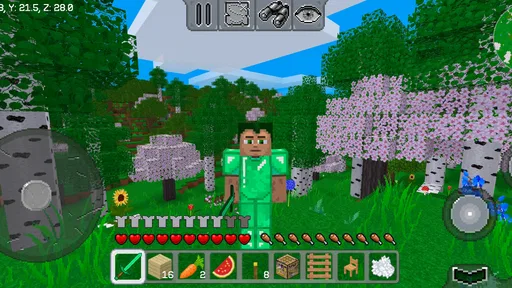
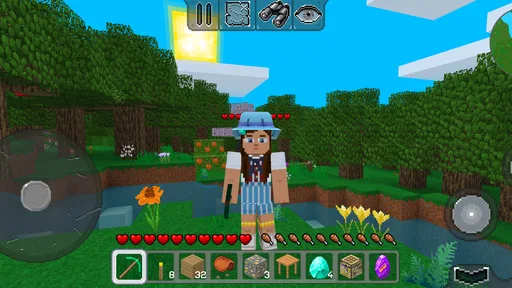
The graphics are charmingly retro, reminiscent of classic pixel art style games. It’s simple, yet effective, and really adds to the nostalgic feel of the game. The sound design complements the visuals well, with ambient sounds that immerse you further into the game’s world. It’s the little touches that make the experience all the more enjoyable.
One thing I’d highlight is how these elements come together to create a relaxing gaming experience. It’s easy to lose track of time as you get absorbed into building and exploring. For those looking for a game to unwind with, MultiCraft offers that perfect escape.
Choosing it over other building adventures
In the familiar block-building corner of adventure games, the important difference is often not the basic act of mining or placing pieces but how much direction the game provides. I see this as a pick for players who want a flexible canvas and can invent their own aims, rather than someone looking for a carefully paced campaign. If you usually play for story chapters, structured challenges, or a clear endpoint, a more guided adventure will likely be a better match.
It also suits people who enjoy returning to an unfinished creation. A small shelter can become a longer-running personal project, while exploration gives you a change of pace when construction starts to feel repetitive. The trade-off is that your satisfaction depends partly on the goals you bring; the game’s freedom is most rewarding when you already have an idea, however modest, of what you would like to make.
Final Thoughts
Overall, MultiCraft is a delightful addition to the building game genre. It’s got enough charm and depth to keep you coming back for more. Whether you’re in it for the exploration, the building, or just to pass the time, this game has something for everyone. Grab it on your device and give it a whirl—I promise you won’t be disappointed!
My more measured recommendation is to try it with a small, concrete plan rather than expecting the game to supply one. Make a simple home, explore when you want a change, and see whether shaping the world is enjoyable on its own. If that loop clicks, its open-ended format can make it a comfortable return-to game; if it leaves you waiting for the next instruction, there are more directed adventures that should suit you better.
MultiCraft — Build and Mine! Frequently Asked Questions
Does MultiCraft — Build and Mine! need a powerful phone or tablet?
The game is designed for Android devices running Android 6.0 or later, so a newer operating system alone does not necessarily mean you need a high-end device. As with any mobile game, available storage and how smoothly your device runs apps can affect your experience. Check that you have room to install it and keep other apps updated before starting.
How much does MultiCraft — Build and Mine! cost to download, and what should I know about purchases?
MultiCraft — Build and Mine! is free to download, so you can try its building and exploration without paying upfront. The game also offers optional in-app purchases priced at $0.99 per item. These may provide extra customization or other additions, but purchases are not required to begin playing. If children use the device, reviewing purchase settings beforehand can help avoid unexpected spending.
What devices can run MultiCraft — Build and Mine!?
MultiCraft — Build and Mine! is available for Android devices running Android 6.0 or later. Before downloading, check that your device meets this minimum requirement and has enough available storage for the game. The game is free to download, so you can try its building and exploration before deciding whether optional in-app purchases are right for you.
Who develops MultiCraft — Build and Mine!, and what kind of game is it?
MultiCraft — Build and Mine! is an adventure game developed by MultiCraft. It invites players into a world of building and exploration, with the store summary promising a world of unlimited possibilities and adventures. Its sandbox approach makes it a fit for players who enjoy shaping virtual spaces and deciding what to do at their own pace.
What is MultiCraft — Build and Mine! and how does it work?
MultiCraft — Build and Mine! is a sandbox-style mobile game that allows players to build and explore virtual worlds. In this game, you can gather resources, craft tools, and construct various structures. Players can switch between Creative mode, where they have unlimited resources, and Survival mode, where they must gather resources and fend off creatures. Its intuitive controls make it accessible for players of all ages.
Pros
- User-friendly interface for all ages.
- Regular updates enhance gameplay.
- Wide variety of building materials.
- Offline mode available.
- Low system requirements.
Cons
- Graphics are relatively basic.
- Limited storyline or quests.
- In-app purchases can be pricey.
- Occasional bugs in multiplayer mode.
- Some features need internet connection.