Minecraft: Play with Friends
- 626.33K
- 4.4
- Installs
- 50.00M
- Price
- $6.99
Screenshots
Analysis by Reviewed
I see Minecraft as a rare kind of arcade game: it can be a quick distraction, but it is at its best when a group gives a shared world a purpose. The appeal is not simply that friends can join in; it is that everyone can leave a visible mark, whether that means building a shelter, mapping a route, or turning a bare patch of land into a project worth returning to. That freedom is also the main trade-off: players who want a guided story or a clear finish line may find the open-ended pace frustrating.
A sandbox that rewards shared plans
Made by Mojang, Minecraft: Play with Friends is a paid arcade game, priced at $6.99, with optional in-app purchases ranging from $0.99 to $49.99 per item. It has a 4.4 average from around 5.2 million ratings, and more than 50 million installs. Those figures point to a huge audience, but the more useful question is whether its particular rhythm suits your group: building together works best when players agree on a loose goal instead of expecting the game to assign one.
Small decisions make sessions smoother
A practical way to start is to decide what a session is for before everyone scatters: gather materials, make a safe base, or explore a nearby area together. I find that simple division of effort helps a group avoid the familiar multiplayer problem where one person builds, another wanders off, and nobody knows where the useful supplies went. If your friends have different experience levels, a shared early task gives newcomers something concrete to do without asking them to master every system at once.
There is also a useful social trade-off in how you approach a shared world. A relaxed creative project is forgiving when people come and go, while survival play makes preparation and communication matter more. Before setting out, I’d agree on where to meet again and what supplies are worth keeping together. That small bit of coordination can save a session from becoming a long search for a friend who got turned around underground.
Who will enjoy it—and who may not
I would recommend it to friends or families who like making their own goals, especially groups that enjoy talking through ideas while they play. It can also work well for a solo player who wants a social world to revisit, rather than a tightly scripted campaign. The age rating is Everyone 10+, and the game’s block-based presentation makes it approachable, though younger players may still benefit from an adult helping them understand the choices and online interactions involved.
On the other hand, I would skip it if you want every session to provide a clear mission, fast rounds, or a strong competitive focus. It asks for patience: collecting materials and shaping a large build can take time, and a shared project can feel slow if the group has no common plan. If you mainly want short, self-contained arcade challenges, a game designed around brief rounds is likely a better fit.
Building Together: The Ultimate Experience
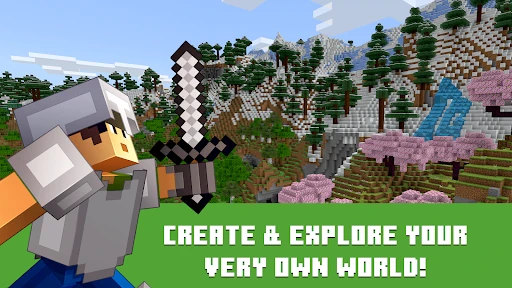
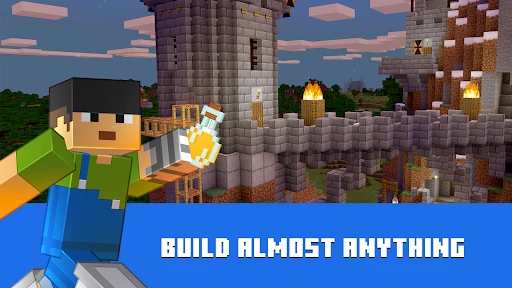
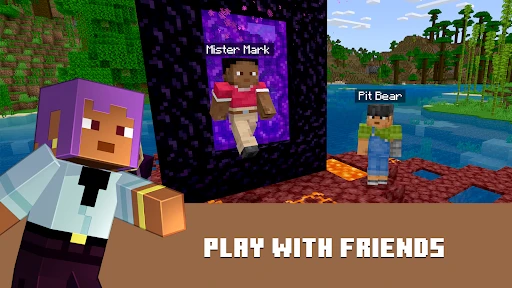
One of the standout features of Minecraft: Play with Friends is the joy of building and exploring together. Whether you're constructing towering castles, intricate cities, or a simple cozy cottage, doing it with friends makes the process twice as fun and satisfying. The game’s multiplayer mode allows you to collaborate with friends across various platforms, breaking down the barriers of device-specific gaming.
More From Our News Desk

Clash of Clans Is Won Between the Battles

Android Auto Makes the Case for Quieter Car Software

MobiOffice: Transforming Mobile Productivity with Seamless Integration

EA SPORTS FC™ Mobile Soccer: Redefining Mobile Sports Gaming

How Microsoft OneDrive Became a Mobile Productivity Giant

How Google Translate Breaks Language Barriers Effortlessly
Cross-Platform Play
Gone are the days when you needed the same console or device to game together. With Minecraft, you can connect with friends whether they are on a PC, console, or mobile device. This cross-platform compatibility ensures that everyone can join the fun, no matter what gadget they prefer. This feature not only broadens your gaming circle but also enhances the gaming experience by allowing a diverse group of friends to come together in one virtual space.
Adventure and Creativity Unleashed
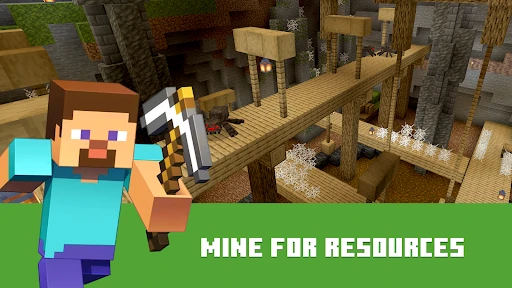
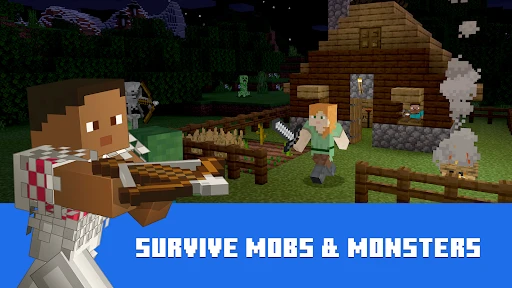
While building is at the heart of Minecraft, it's not all the game has to offer. The adventure aspect of the game is equally engaging. Team up with your friends to explore vast landscapes filled with hidden treasures and lurking dangers. Whether you’re spelunking in deep caves or battling mobs in the dark, having your friends by your side adds a layer of strategy and excitement that’s hard to beat.
Moreover, the game offers a variety of modes that cater to different play styles. Survival mode will test your resourcefulness and teamwork, while creative mode lets your imagination run wild without constraints.
Community and Mods
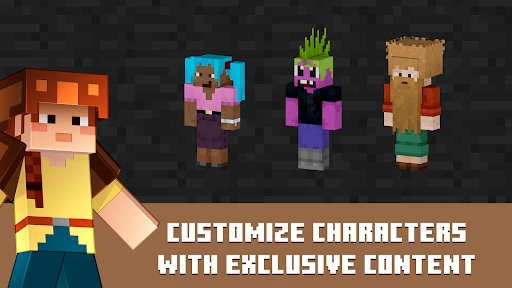
Another appealing aspect of playing Minecraft: Play with Friends is the community. With a vast network of players worldwide, you can share your creations, join in on massive build projects, or simply get inspired by the impressive works of others. The modding community adds another layer of depth to the game, offering countless mods that can enhance or completely change your gameplay experience.
From texture packs that make your world more vibrant to mods that introduce new mechanics and creatures, the possibilities are endless. And the best part? You and your friends can decide which mods to incorporate into your world, making each gaming session unique.
Versions, expectations, and the verdict
The Android release is at version 1.21.50.07 and requires Android 8.0 or later. I would check that requirement before buying, particularly on an older phone or tablet, and keep in mind that a large shared build is a different kind of commitment from a quick arcade round. The base purchase is not the whole spending picture, since optional purchases are available; I’d treat those as extras rather than assume they are needed to enjoy the core creative loop.
Compared with more conventional arcade games, which tend to offer fixed levels and quick wins, Minecraft gives you tools and lets your group decide what counts as progress. That makes it more flexible, but also less immediately structured. A useful everyday scenario is a short evening session: one friend gathers wood and food, another lays out a starter home, and a third marks a route to explore next time. Even if nobody finishes a grand build, the world is left in a state the group can pick up later.
My one caution is to set expectations about compatibility and add-ons before planning a session. Playing across devices can widen the group, but it does not mean every version, modification, or setup will behave identically. If everyone is new, start with the standard experience and a modest shared objective; save elaborate customization for when the group knows what it actually wants. The game’s current Android version is 1.21.50.07, but I would still make sure friends are ready to join using compatible setups rather than assume every combination works automatically.
Keeping a shared world welcoming
One less obvious decision is how much structure to impose on the world. I’d mark shared storage clearly and agree that major builds belong to the group, while smaller personal projects can be placed nearby. This is not busywork: when materials are scattered or someone’s unfinished build gets altered without warning, the social side can sour faster than the gameplay. A simple convention for chests and building areas makes it easier for casual players to contribute without needing a meeting every time they log in.
For a group with uneven schedules, it also helps to leave a brief in-game landmark or a clear unfinished task rather than relying on everyone to remember the plan. A lit path back to base, a sign beside the next project, or a chest with supplies set aside can make the next visit feel inviting. I like this approach because it turns an interrupted session into a handoff: the next player can understand what is underway and decide whether to continue or start something small of their own.
Mobile play calls for a different pace
On a phone or tablet, I would treat the controls and screen space as part of the planning. Detailed construction is easier when I have time to place blocks carefully, while a short visit is better spent sorting supplies, checking the base, or gathering materials close by. That distinction matters for anyone expecting a mobile arcade game built around instant rounds. Minecraft can fit into spare time, but the most satisfying progress often comes from a sequence of small visits rather than trying to finish a complex build in one sitting.
Before buying, consider who will actually play and what they want from a shared session. The Android version requires Android 8.0 or later, and the full game costs $6.99; optional purchases are separate. The age rating is Everyone 10+, but that is not a substitute for deciding what kind of online play is appropriate for a particular child. I’d also ask the group whether they want to build peacefully, explore together, or mix both, because a shared purchase is easier to justify when everyone has a clear idea of the fun they are seeking.
When another game is the better choice
If your group meets briefly and wants a winner, a score, and a clean end to each session, a round-based arcade game is a more natural fit. If you want a campaign that steadily introduces objectives and story beats, a guided adventure is likely to feel more satisfying. Minecraft’s strength is the opposite: it offers a flexible place to make your own plans, and it expects players to supply much of the direction. That makes it unusually replayable for creative friends, but it can leave a group staring at an empty landscape and asking what to do next.
I would also be cautious if your friends are drawn to very different activities. One person may want to build for an hour while another is eager to explore, and neither preference is wrong; the mismatch simply needs a compromise. A shared hub with short nearby goals can help, but it will not turn the game into a tightly managed team challenge. If nobody in the group enjoys planning, collecting, or experimenting, the freedom that makes this game distinctive may feel more like work than a reward.
Making a first session count
For a first visit, I would resist the temptation to plan a sprawling town or a complicated underground expedition. A compact base near the starting area gives the group a dependable reference point, and a simple perimeter path makes it easier to return when someone has wandered farther than expected. This kind of modest opening is more welcoming than a long explanation of every possibility: newcomers can gather, place blocks, and see the shared result immediately.
It also helps to end a session deliberately. Put useful materials back in a recognizable place, leave the entrance easy to find, and agree on one next step, such as extending the shelter or exploring a nearby cave. That gives the next player a clear invitation without turning the world into a checklist. I especially like this for friends who can only play at different times; the shared space remains understandable even if the whole group is rarely online together.
What to expect from the social side
A common practical question is whether playing together automatically makes the game easier. It can, because friends can divide gathering and building tasks, but it can also make coordination more important. If one player takes rare materials for a private project or changes a shared area without asking, frustration is possible. I would agree on a few basic expectations early, especially about storage and which builds are collaborative. The aim is not to impose rules on every block; it is to avoid preventable misunderstandings.
Another useful expectation is that a shared world can feel different depending on who is online. A player arriving alone may prefer to organize supplies or improve a path rather than begin a major group build. That is a strength for people who enjoy small, self-directed jobs, but it is less satisfying for anyone who expects every visit to be a coordinated event. The game works best socially when the group accepts both kinds of play and leaves enough room for each.
Spend thoughtfully and choose your pace
The purchase decision is straightforward only if you separate the main game from optional extras. I would first ask whether the group genuinely likes open-ended building and exploration, because no add-on can make that basic rhythm suit someone who wants fixed rounds. If the answer is yes, start with the core experience and learn what the group actually wants before considering extra content. That keeps the decision tied to real interest rather than the feeling that a shared world needs more decoration to be worthwhile.
My recommendation is strongest for players who enjoy making things with other people and do not mind that progress can be uneven. It is less convincing for a group that meets once in a while, expects a guided activity, and has little appetite for collecting supplies or deciding what to do. In that case, a shorter arcade game may make better use of the same limited time. Minecraft is not short on possibilities; the question is whether choosing among them is part of the fun for you.
Final Thoughts
In conclusion, Minecraft: Play with Friends is more than just a game; it’s an experience. It allows you to connect with friends, unleash your creativity, and embark on adventures that are as unique as the players themselves. Whether you're a seasoned player or new to the blocky world of Minecraft, playing with friends elevates the experience, making it more dynamic and enjoyable. So, gather your friends, pick up your pickaxe, and dive into a world where your imagination is the only limit. Trust me, you won’t regret it!
Minecraft: Play with Friends Frequently Asked Questions
Is Minecraft: Play with Friends the same game as Minecraft?
Minecraft: Play with Friends refers to the multiplayer experience in Minecraft rather than a separate game with a different style of play. You still create, build, and explore worlds, with the option to share that experience with other players. If you are looking for a game centered on open-ended creativity and playing together, this is the experience the title describes.
Who makes Minecraft, and when was it released?
Minecraft is developed by Mojang and first released on August 15, 2011. It is an arcade game built around creating, building, and exploring, with an open-ended structure that lets players choose their own goals. Its long-running appeal comes from the freedom to shape a world and decide how to spend time in it, whether playing alone or with friends.
What age rating does Minecraft: Play with Friends have?
Minecraft: Play with Friends is rated Everyone 10+, which may make it worth considering for older children and families who enjoy creative play. The game’s open-ended worlds let players build and explore at their own pace. Because multiplayer involves interaction with others, parents may also want to discuss who their child plays with and review available communication and privacy settings.
Is Minecraft: Play with Friends a good choice if I prefer creative games?
The game is a natural fit for players who like making their own projects and deciding what to do next. You can focus on building, exploring, or spending time in a shared world instead of following one fixed route. That freedom can be a plus if you enjoy self-directed play, though players who prefer a strongly guided experience may want to keep that open-ended style in mind.
Can I play Minecraft alone, or is it only multiplayer?
You can enjoy Minecraft’s building and exploration without making multiplayer the focus. Playing with friends is an added way to share the experience, rather than the only reason to play. If you want to work on your own projects or explore at your own pace, the game’s open-ended style accommodates that; joining someone else’s world or inviting friends requires a connection.
Pros
- Highly creative building possibilities.
- Cross-platform play enhances social interaction.
- Rich modding community for customization.
- Regular updates keep content fresh.
- Educational benefits for problem-solving.
Cons
- Can be addictive for younger players.
- Initial learning curve can be steep.
- In-app purchases may add up.
- Requires stable internet for multiplayer.
- May strain older devices' performance.
- Category
- Arcade
- Version
- 1.21.50.07