Salesforce
- 3.20K
- 3.5
- Installs
- 5.00M
- Price
- Free

Screenshots
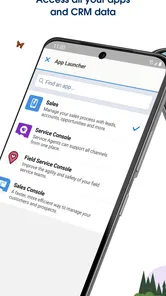
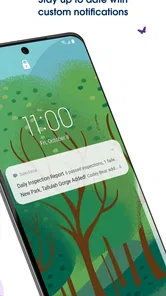
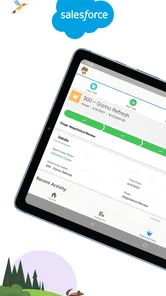
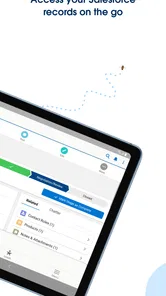
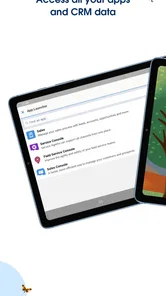
Analysis by Reviewed
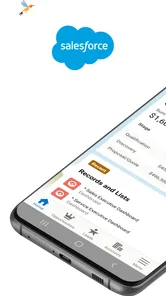
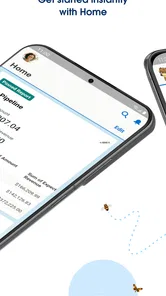
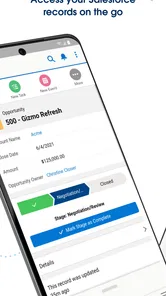
For me, the useful question is not whether a phone can replace a whole sales desk; it is whether it can help me keep a customer conversation moving between meetings. Salesforce makes most sense as a mobile companion to a team’s existing customer-management setup: I can check work, update a record, and return to the next task without waiting to get back to a computer. That is a practical role, but it depends on having a clear workflow already.
Making customer work manageable on the move
Before adding a mobile app to a busy day, I’d decide which work genuinely needs to happen away from my desk. For a sales representative, that might be reviewing an account before a visit, noting a useful detail after a call, or checking a dashboard while preparing for a team conversation. Treating the phone as a quick access point, rather than trying to do every CRM task on it, keeps the experience more focused and less frustrating.
Build the workflow around real customer moments
A useful mobile routine begins before I open the app: I need to know what information my team relies on and what can wait until I have a larger screen. If a company has several record types or dashboards, I would ask a colleague to point me toward the few that matter for my role. That gives me a practical starting path instead of turning the first session into a tour of every option.
Imagine I have two customer visits in one day. Before the first, I check the account context and the dashboard that helps me prepare; after the conversation, I record the agreed next step while it is still clear. Between appointments, I can review what needs attention before moving on. The benefit is not that every task becomes faster, but that the important handoff does not have to wait until I return to my desk.
Set up a useful routine before opening the app
The mobile experience is most valuable when the team agrees on what should be captured and what can wait. I’d make a short personal checklist for customer meetings: confirm the right account, review the current context, and record the next action while the conversation is still fresh. That small routine can make mobile updates more reliable than trying to reconstruct details at the end of the day.
For example, after a site visit, I might use a few minutes before leaving to update the relevant record and note who needs to follow up. Later, I can check a dashboard to prepare for a discussion with my manager. This is where a phone-based CRM earns its place: not through endless screen time, but by helping the next person act on information while it is still timely.
Capture details without turning every moment into admin
Customer notes are only useful if they are easy for colleagues to understand. I’d keep them brief and action-oriented: what the customer needs, what was agreed, and who owns the next step. A useful trade-off is that typing a careful note on a small screen can take longer than jotting something down elsewhere, so I would reserve the app for information that needs to be shared or attached to an ongoing customer record.
More From Our News Desk

Weather by Xiaomi Review: Clear at a Glance, Less Clear Up Close

X Under Pressure: Can It Recover When Posting Goes Wrong?

Clash of Clans Is Won Between the Battles

Android Auto Makes the Case for Quieter Car Software

MobiOffice: Transforming Mobile Productivity with Seamless Integration

EA SPORTS FC™ Mobile Soccer: Redefining Mobile Sports Gaming
For a follow-up that another person must act on, I would put the commitment in the appropriate record field the team already uses, rather than relying on a long free-form note. That distinction matters: a narrative note can explain the conversation, while a structured field can make an action easier to find and report on. I would not create duplicate versions of the same task in multiple places unless the team has a clear reason; duplicated reminders can become stale and leave people unsure which one is current.
Dashboards can also help me spot what deserves attention, but I would treat them as a prompt for investigation rather than a substitute for context. A number changing does not explain why it changed. Before acting on a mobile view, I’d check the underlying record or follow up with the relevant colleague when the decision has wider consequences.
Where it fits among business tools
Compared with a spreadsheet or a simple contact list, a CRM is better suited to shared customer histories and handoffs between people. A spreadsheet may be quicker for a one-off list or a small project, and a general notes app can be easier for private reminders. I would choose Salesforce when the work already depends on structured customer records, team visibility, and dashboards; I would not introduce it just to manage a handful of personal contacts.
That comparison also helps answer whether this is a sensible choice for a small team. The deciding factor is less the team’s size than whether people need a shared, organized account of customer work. If everyone already coordinates through a simple list and there are few handoffs, a spreadsheet may be lighter. If several colleagues need consistent context and a common view of progress, a CRM can justify the extra structure, provided someone is willing to maintain the way the team uses it.
Salesforce is a business app from Salesforce.com, inc., and its mobile role is clearest for people whose organization already uses the platform. The app is free to download, but that should not be confused with the cost of an organization’s broader Salesforce setup. It is rated for Everyone, has an average rating of 3.7 from around 57,000 ratings, and has been installed over five million times. Those figures show broad use, but they cannot tell me whether a particular company’s configuration will feel simple or cluttered.
Make the routine resilient when the day goes wrong
Mobile work has predictable failure points: a rushed update, a poor connection, a record that is hard to find, or a notification that pulls attention away from a customer. The app’s description emphasizes managing the day, updating records, and viewing dashboards, so I’d build around those core jobs rather than assume every desktop workflow will be comfortable on a phone. If an entry needs careful review, I’d save that work for a larger screen and use the mobile session to capture the immediate next step.
I would also decide in advance what to do when I cannot confidently find the right record. Guessing can create a messy history that someone else has to untangle. In that moment, I would make a temporary reminder to resolve the update later, then check the account carefully from a more comfortable screen. This is a modest safeguard, but it is better than attaching customer information to the wrong place just to finish the task quickly.
For reliable handoffs, I’d also avoid leaving an important commitment buried in a long note. Put the action in the appropriate record field your team uses, and make ownership clear. That is not a special trick of the app; it is a discipline that makes a shared CRM useful. The phone can shorten the delay between a conversation and a record update, but it cannot fix unclear team habits.
What to expect when getting started
The app has been available since March 7, 2011, and its current version is 258.010.0, with Android 11 as the minimum operating-system requirement. I would still approach the first session as an orientation rather than expect instant mastery. Ask a colleague which records and dashboards matter most, then learn those paths first. This is a better way to make a large business platform approachable than exploring every menu without a specific task in mind.
One question people often have is whether they can use it without being part of a company’s Salesforce environment. In practice, the app is intended to connect with Salesforce work, so its value depends on having the relevant account and organizational setup. Another natural concern is whether mobile access can replace desktop work. I would say no for complex administration or long-form review; the phone is strongest for timely checks and focused updates, while a computer remains more comfortable for broad, detailed work.
Getting Started with Salesforce
First things first, installing Salesforce was a breeze. Available on both Android and iOS, it doesn’t take up much space and is pretty straightforward to set up. Once you launch it, you’re greeted with a clean, user-friendly interface. It’s designed to get you started without a hitch, even if you’re not the most tech-savvy person out there.
Features That Stand Out
Alright, let’s dive into what makes this app tick. Salesforce is essentially a Customer Relationship Management (CRM) platform, and boy, does it live up to its reputation. It offers a comprehensive suite of tools that cater to every aspect of customer relationship management. You can manage contacts, track sales, conduct marketing campaigns, and more, all from your smartphone.
One feature that really caught my eye was the real-time analytics. It’s like having a crystal ball for your business. You can track performance metrics and make informed decisions on the fly. Plus, the integration capabilities are top-notch. Whether you’re using Gmail, Outlook, or other business tools, Salesforce syncs effortlessly, ensuring you have all your data in one place.
Why You’ll Love It
If you’re running a business or managing a team, Salesforce is a game-changer. The app keeps everything organized and accessible, which means less time spent on admin tasks and more time focusing on what truly matters – growing your business. Also, the mobile app has offline capabilities, so you can access your data even when you’re off the grid. Handy, right?
For me, the strongest case is a role with frequent customer contact and a clear reason to share updates with coworkers: field sales, account management, or a manager who checks team activity while moving between meetings. Someone who mainly needs a private address book, a basic personal to-do list, or a lightweight way to track a one-off project is likely better served by a simpler tool. A full CRM can feel like overhead when the work does not depend on shared records.
Room for Improvement
Now, no app is perfect, and Salesforce is no exception. While it’s packed with features, it can feel a bit overwhelming at first. There’s a bit of a learning curve, especially for those who are new to CRM systems. However, once you get the hang of it, you’ll find it’s incredibly powerful.
Another point to note is that some users might find it a tad pricey. But considering the value it brings, it’s an investment that pays off in the long run.
So, to wrap it up, if you’re looking for a robust CRM app that can handle everything you throw at it, Salesforce is worth checking out. It’s designed to streamline your business operations and help you stay ahead of the curve. Give it a go, and you might just find it’s the missing piece in your business puzzle.
My practical recommendation
I would adopt the mobile app as part of a small, repeatable system rather than expect it to organize customer work by itself. Agree on which record fields matter, keep notes concise, identify who owns each next action, and reserve deeper review for a computer. That approach makes a quick mobile check useful without letting every customer interaction turn into screen time.
My overall view is positive for people already working inside a Salesforce setup, especially when customer updates and team handoffs happen away from a desk. It is less convincing as a standalone solution for someone who only wants a simple list or who has no shared process to support. If you know what you need to check and capture, the app can help keep work moving; if the underlying workflow is unclear, starting with that workflow is the better first step.
Salesforce Frequently Asked Questions
Do I need a Salesforce account or workplace access to use the app?
The Salesforce app is most useful when you can sign in to a Salesforce environment used by your business or organization. It provides mobile access to work-related information rather than acting as a standalone business service. Before downloading, consider whether you have the appropriate account and access arranged, since the app’s value depends on being able to reach the Salesforce services your team uses.
Can I use Salesforce on my phone while away from my desk?
Yes. Salesforce is designed to let you keep up with work while away from a computer. The app’s summary highlights managing your day, updating records, and viewing dashboards wherever you are. It can be useful for checking business information or making updates on the move, while access to Salesforce services requires an internet connection.
What devices and operating systems does the Salesforce app support?
The Salesforce app is available for mobile use, and its current version is 258.010.0. It requires iOS 11 or later. Before downloading, check that your device meets this minimum requirement and that you can access your organization’s Salesforce environment. The app is free to download, although the Salesforce products and services you use may have separate costs.
Is Salesforce free to download, and does that mean the service is free?
The app is free to download, but that does not necessarily make every Salesforce service free. The cost of using Salesforce varies depending on the specific products and services a business chooses. Salesforce offers different pricing tiers ranging from basic to advanced plans, each with varying features and capabilities. Businesses should assess their needs and budget to choose the most suitable plan.
What is Salesforce and how does it work?
Salesforce is a cloud-based software platform designed to help businesses manage their customer relationships, sales, and marketing activities. It offers various tools for customer service, analytics, and application development. By using Salesforce, companies can streamline their processes, enhance customer satisfaction, and improve overall efficiency. The platform is accessible from anywhere with an internet connection, making it a flexible solution for businesses of all sizes.
Pros
- Highly customizable to fit unique business needs.
- Extensive reporting and analytics features.
- Robust mobile app for on-the-go access.
- Seamless integration with third-party apps.
- Strong community support and resources.
Cons
- Complex setup process for new users.
- High cost compared to other CRM solutions.
- Steep learning curve for beginners.
- Occasional performance issues reported.
- Limited offline capabilities.