OpenSea: NFT marketplace
- 600.00
- 3.7
- Installs
- 1.00M
- Price
- Free

Screenshots
Analysis by Reviewed
If you're as intrigued by the world of NFTs as I am, you've probably heard of OpenSea. It's basically the eBay for digital assets, but with a twist that includes art, music, and even virtual real estate. I dove into the app to see what all the fuss was about, and here's what I found.
Exploring the Marketplace
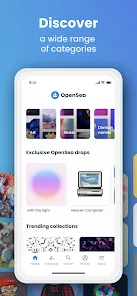
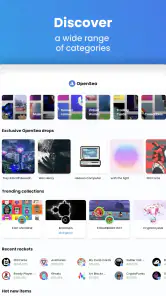
First things first, navigating through OpenSea is a breeze. The app boasts a clean, user-friendly interface that makes it super easy to browse through various categories. Whether you're into digital art, music, or collectibles, there's something for everyone. I found myself lost in the diverse range of NFTs available, from quirky digital art pieces to rare in-game items.
The Buying Experience
Purchasing an NFT on OpenSea is quite straightforward. You need to connect your digital wallet first, which might sound intimidating for newbies, but the app provides a step-by-step guide that’s pretty helpful. Once your wallet is set up, you can easily bid on or purchase items outright. I snagged a digital art piece during my exploration, and the process was seamless.
Creating and Selling Your NFTs
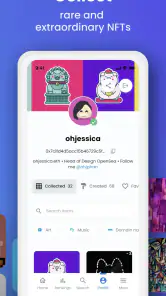
What’s cool about OpenSea is that it’s not just for buyers. If you’re a creative soul, you can mint your own NFTs and put them up for sale. The app provides clear instructions on how to create and list your NFTs, which is a fantastic opportunity for artists looking to showcase their work. I tried minting a simple piece of digital art, and the app guided me through every step, making it a surprisingly easy process.
Community and Social Features
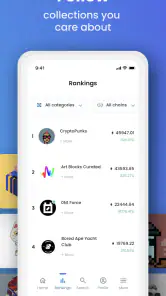
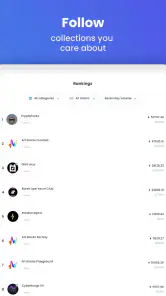
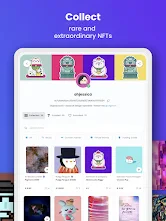
One of the standout features of OpenSea is its vibrant community. The app includes social features where you can follow your favorite creators and see their latest works. It’s like an Instagram for NFTs, and it’s thrilling to see what other collectors and creators are up to. I found this aspect particularly engaging as it adds a social layer to the buying and selling experience.
Overall, my time with OpenSea has been quite the adventure. Whether you’re a seasoned collector or a curious newbie, the app offers a comprehensive platform for exploring the NFT world. OpenSea is not just a marketplace; it’s a gateway to a vibrant digital community.
Pros
- User-friendly interface
- Wide variety of NFTs available
- Supports multiple cryptocurrencies
- Active community and support
- Offers minting and selling options
Cons
- High transaction fees
- Complexity for beginners
- Limited payment options
- Occasional network congestion
- Privacy concerns with blockchain

- Category
- Art & Design
- Version
- 2.32.2











