AppSheet
- 214.00
- 4.1
- Installs
- 5.00M
- Price
- Free

Screenshots
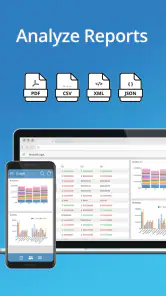
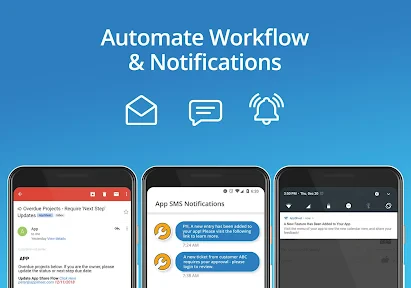
Analysis by Reviewed
I like the idea behind AppSheet most when it begins with a real, recurring annoyance: a team has information in a spreadsheet, but people need a clearer way to enter it, find it, and act on it. Rather than starting with a grand plan for a company-wide system, I’d pick one task that currently causes missed updates or extra messages and see whether a small custom app makes that task easier. That’s a grounded way to judge a no-code builder: not by how many screens it can produce, but by whether the finished workflow saves people confusion.
First decide whether the workflow needs an app
A useful first question is whether several people follow the same steps and work with the same kind of information. If they do, a tailored interface can be more practical than asking everyone to edit a shared spreadsheet in their own way. If the task is just a personal list or a handful of occasional notes, a standard notes app or spreadsheet is likely faster and simpler. AppSheet earns its place when the extra structure serves a real team need.
I would also decide who is responsible for keeping the source information accurate. A no-code app can make a process easier to use, but it cannot resolve disagreements about what a field means or who should update it. Before building, agree on terms such as “in progress” or “complete,” and make sure every field has a clear purpose. This small bit of preparation can prevent a polished interface from merely hiding an untidy process.
A practical fit for everyday workflows
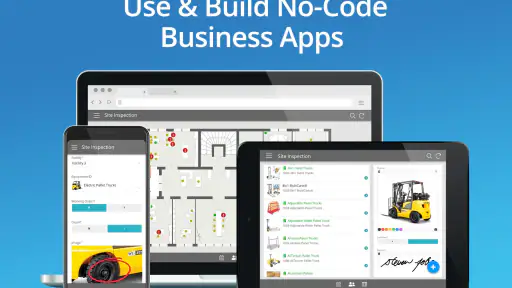
I find the strongest case for a no-code builder is a repeated task that already has clear steps and structured information. Imagine a small team logging equipment checks: one person records an inspection, a manager reviews exceptions, and the team needs to see what still requires attention. A custom app can give those entries a consistent path instead of leaving them scattered across messages and separate forms. That kind of focused workflow is a better first project than trying to replace an entire company’s systems at once.
Before building, I would tidy the source data and decide which fields people actually need to enter. A spreadsheet with consistent column names and one row per item gives the app a clearer foundation than a sheet mixing notes, headings, and blank rows. This is a useful, easy-to-miss trade-off: no-code reduces the need to program, but it does not remove the need to think carefully about data structure. If the underlying information is messy, the resulting app can feel confusing too.
Unleashing Creativity with No Code
First off, the most impressive feature of AppSheet is its no-code platform. Imagine being able to create an app just by dragging and dropping elements. It's like building with digital LEGO bricks, but instead of ending up with a spaceship or a castle, you get a fully functioning app! I was initially skeptical about how intuitive this would be, but trust me, it’s as easy as pie. You can pull data from Google Sheets, Excel, or even SQL databases to get started, making it incredibly versatile.
Customization at Your Fingertips
Once you've got your data in, customizing your app to look and behave exactly the way you want is a breeze. The interface lets you tweak everything from the app’s appearance to the user interactions. You know that feeling when you find the perfect pair of jeans that fit just right? That’s how I felt when I realized I could tailor every little detail of my app. Whether you’re building an app for inventory management, customer feedback, or a personal project tracker, AppSheet gives you the tools to make it happen.
More From Our News Desk

Weather by Xiaomi Review: Clear at a Glance, Less Clear Up Close

X Under Pressure: Can It Recover When Posting Goes Wrong?

Clash of Clans Is Won Between the Battles

Android Auto Makes the Case for Quieter Car Software

MobiOffice: Transforming Mobile Productivity with Seamless Integration

EA SPORTS FC™ Mobile Soccer: Redefining Mobile Sports Gaming
Make the first version easy to test
There is a practical reason to resist building every desired feature at the beginning: users often reveal what matters only after trying the workflow. I’d create a basic version, ask one or two people to complete a real task with it, and watch where they hesitate. If they cannot tell which record to open or what a status means, the next improvement should address that friction rather than add another screen. This kind of small trial helps distinguish a genuinely useful app from a builder’s experiment that looks impressive but is awkward in daily use.
For a simple stock process, for instance, I’d make the item identifier and current status easy to spot, then make the update action obvious. I would avoid asking for information the team never uses to make a decision. Each extra field can slow down entry and encourage people to put placeholder text in just to finish. A lean form is not merely nicer to look at; it can make records more consistent because people understand what they are being asked to provide.
Making the workflow useful, not just attractive
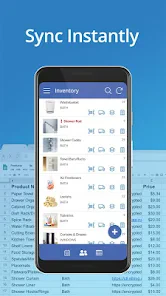
I would start with the smallest useful version: a few essential fields, one clear way to add a record, and a view that answers the team’s main question. For an inventory tool, that might mean making it easy to identify an item and update its status before adding elaborate dashboards. This keeps the first version practical and helps reveal which details people really need. Customization is most valuable when it makes routine actions clearer; endless tweaking of colors and screens can consume time without improving the actual process.
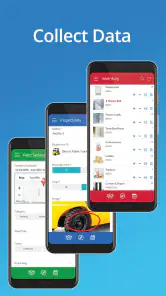
For a field-based workflow, GPS, barcode scanning, and offline access can matter more than a polished home screen. A worker checking stock in a storage area, for example, may benefit from scanning an item rather than typing an identifier, while offline access can be useful where connectivity is unreliable. I would still test the full task from beginning to end before relying on it: capture a record, review it, and confirm that the people who need to act on it can find it. A feature only helps when it fits the conditions in which the team works.
Powerful Features, No Hassle
What’s a good app without some powerful features, right? AppSheet doesn’t disappoint here. You can integrate functionalities like GPS, barcode scanning, and even offline access. It’s like having a Swiss Army knife for app development. I personally loved the ability to automate workflows. Imagine setting up notifications or approvals that trigger based on specific actions - it’s like having a personal assistant built into your app.
Use automation sparingly at first
Automation can be especially useful when the next step is predictable: a completed inspection may need review, or a change in status may need to reach the right colleague. But I would not automate every change just because the option is available. Frequent alerts can train people to ignore them, while an unclear approval request can leave work stalled. Start with one event that has an obvious recipient and purpose, then confirm that it helps the process before adding more triggers.
A realistic day-to-day example is a small team checking equipment at the start of a shift. A worker records the condition and flags an issue; the person responsible for follow-up can then see that entry and decide what needs attention. The value is not that the app replaces judgement. It is that the information follows a consistent route, so the team does not have to rely on someone remembering to forward a message. I’d test this exact handoff with the people who perform it, including the less common case where an item is unavailable or an inspection cannot be completed.
Where the trade-offs show up
Automations and approvals are most useful when the rules are simple enough for everyone to understand. If a notification fires too often, or an approval step is unclear, the app can add interruptions instead of removing them. I would begin with one meaningful trigger, test it with the people involved, and only then add more rules. The same restraint applies to app design: a broad collection of views may look powerful but can make a quick task harder to complete.
Compared with a standard spreadsheet, a custom app can give people a more guided way to enter and act on information. Compared with a conventional, code-built business system, a no-code approach can be a more approachable starting point for a narrow workflow, but it may not suit every complex or highly specialized requirement. If your process depends on extensive bespoke behavior or a large, carefully governed system, I would compare the effort of maintaining an AppSheet workflow with a purpose-built alternative before committing.
Think about maintenance before sharing
Someone will need to notice when the underlying process changes, update the app accordingly, and make sure users know which version of the workflow to follow. That responsibility can be manageable for a small, stable process, but it becomes more significant if many teams rely on the same tool or if the source data changes frequently. I would name an owner and keep a short explanation of what the app is meant to do. That makes it easier to spot when a requested change is a genuine need or simply a preference that would complicate the experience.
This is also where a spreadsheet can remain the better choice. If colleagues need to explore or reshape data freely, the flexibility of a sheet may be more valuable than a guided app interface. Conversely, if people routinely enter inconsistent information or struggle to find the right record, a focused app can add helpful structure. The choice is not about which format is more modern; it is about whether people need freedom to manipulate the data or a dependable route through a task.
Sharing and Deploying with Ease
Another aspect where AppSheet shines is in the deployment and sharing of your creations. Once your app is polished and ready, sharing it with your team or clients is straightforward. You can control access and ensure that the right people have the right permissions. Plus, the app is cross-platform, meaning it works seamlessly on both Android and iOS devices. I found this particularly useful for ensuring everyone could use the app, regardless of their preferred device.
For a team, I would decide who can view, add, or change records before sharing, then test the experience with someone who did not build the app. That simple check can catch confusing labels or an unnecessary step that the creator overlooks. It also helps answer a practical question: can colleagues use the workflow without needing the builder beside them? Cross-platform access is helpful when a group uses different devices, but a shared app still needs clear ownership and sensible access choices.
Cost, fit, and the decision to try it
AppSheet is a free business app, so trying it does not require an upfront purchase. I see that as a low-friction way to test whether a small workflow is worth turning into an app, rather than a reason to assume every possible use will remain free or that a larger rollout has no costs. Its developer is AppSheet, and it sits in the business category. The app is rated for Everyone, has a 4.1 average from around 15,000 ratings, and has passed 5 million installs. It first appeared on April 7, 2014, and version 17.6.1 requires Android 10 or later.
For someone comparing tools, the free access makes it reasonable to explore a small idea before deciding whether a custom app is worth the effort. It does not, by itself, tell me what a broader deployment will cost, so I would check the terms that apply to the intended team and use before depending on it for important work. The rating and install history suggest that many people have tried it, but neither can tell you whether it fits your particular process. A short hands-on test with real sample records is more useful than relying on popularity alone.
That makes it appealing to a small business owner, a teacher organizing a repeatable process, or a team that wants to try a focused internal tool without starting with custom code. I would skip it if you only need a simple personal checklist, since an ordinary notes or spreadsheet app may be quicker, or if your requirements call for deep engineering control. Before building anything important, check that the current version of your source data is ready, try the app on the devices your users actually have, and confirm the pricing that applies to your intended use.
I’d also be cautious about making a first project the only place where essential information lives. Start with a workflow that is useful but manageable, verify that records can be entered and reviewed as expected, and make sure the team has a clear process if the app needs attention. That is a sensible way to learn whether the tool suits your working habits without turning experimentation into an operational risk. If the trial exposes confusing data or too many exceptions, it may be a sign to simplify the process first—or choose a different tool.
In conclusion, if you're in the market for a tool that allows you to create custom apps without the need for coding skills, AppSheet is a game changer. It’s not just about creating apps; it’s about empowering you to solve problems and improve processes in a way that was previously only accessible to those with technical expertise. Whether you're a small business owner, a teacher, or just someone with a creative idea, this app can help bring your vision to life. Give it a try, and you might just find yourself wondering how you ever managed without it.
My recommendation depends on the size of the problem
My advice is to try AppSheet when you can describe a recurring task, identify the people involved, and point to structured information that needs a better route from entry to action. Keep the first build narrow, test it with actual users, and judge it by whether it reduces missed steps—not by how many options you can customize. If a shared sheet already works smoothly, or the process needs extensive specialized engineering, I would not add an app simply for the sake of having one. For a small, well-defined business workflow, though, the free starting point and no-code approach make it a reasonable tool to explore.
AppSheet Frequently Asked Questions
Can I use AppSheet on both Android and iOS?
AppSheet is designed to make custom apps available beyond a single Android installation. The apps built with the platform can be accessed through the AppSheet app on different devices, including mobile devices, and can also be used as web apps in a browser. The experience may vary with the app’s design and the device, so consider where your team needs to use its workflows.
Do I need an existing data source before I start building with AppSheet?
AppSheet’s no-code approach centers on connecting data and shaping it into an app, so it helps to have a clear idea of what information the app will use before starting. Users can work with sources such as spreadsheets and databases, then decide how that information should be displayed and managed. Organizing the data first can make the app-building process easier to plan.
Can AppSheet help a team replace spreadsheets or manual business processes?
AppSheet can be used to turn business information and workflows into custom mobile or web apps, which may help teams move beyond relying on spreadsheets or manual steps for particular tasks. Examples include inventory tracking, field inspections, and project management. How much a process can be changed depends on the team’s data, requirements, and the way its app is designed.
Is AppSheet suitable for people who are new to no-code tools?
AppSheet is intended to make app creation approachable without requiring users to write code. New users still need to think through the information their app will handle and how its workflow should operate, but they can define how data is displayed and managed using the platform’s no-code approach. It may be a practical starting point for people who want to create a tool around a business need.
What should I know about AppSheet’s popularity and age rating?
AppSheet has an average rating of 4.1 from around 15,000 ratings, with around 214 written reviews and over 5 million installs. It is rated Everyone, so its age classification is suitable for a general audience. Ratings and review counts can give a sense of how other users have responded, but your own experience will depend on whether the platform fits your data and app-building needs.
Pros
- Allows creation of apps without coding.
- Supports integration with various data sources.
- Real-time data synchronization.
- User-friendly interface.
- Good customer support.
Cons
- Limited customization options.
- Performance issues with large datasets.
- Requires internet connection.
- Costly for premium features.
- Limited offline capabilities.
- Category
- Business
- Version
- 17.6.1











